





USB and Type-C Tester - Multi-Functional Digital Tester for DC 4.5-36V, 0-8A Current and Voltage Meter, Supports Multiple Fast Charging Protocols
7 sold in last 24 hours
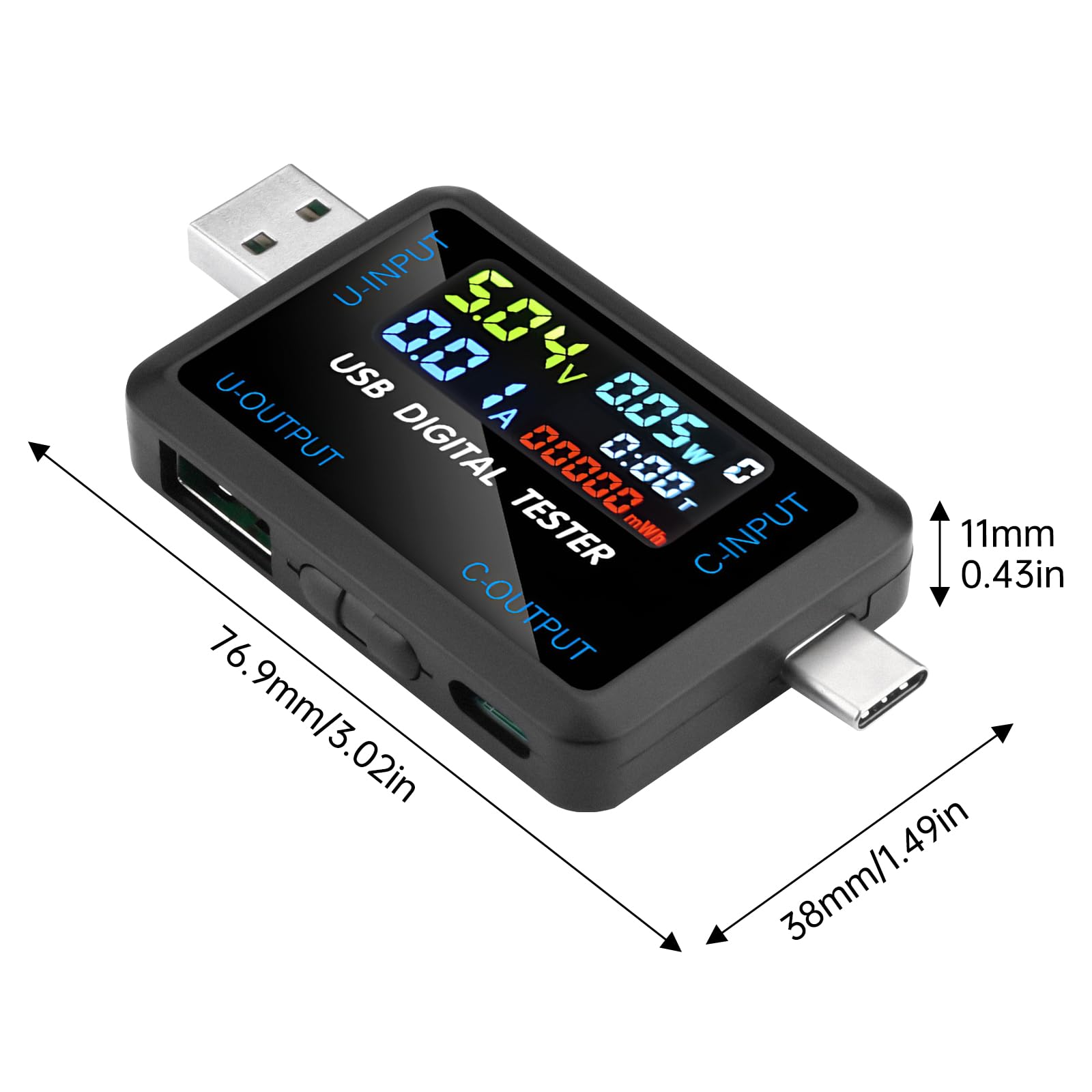
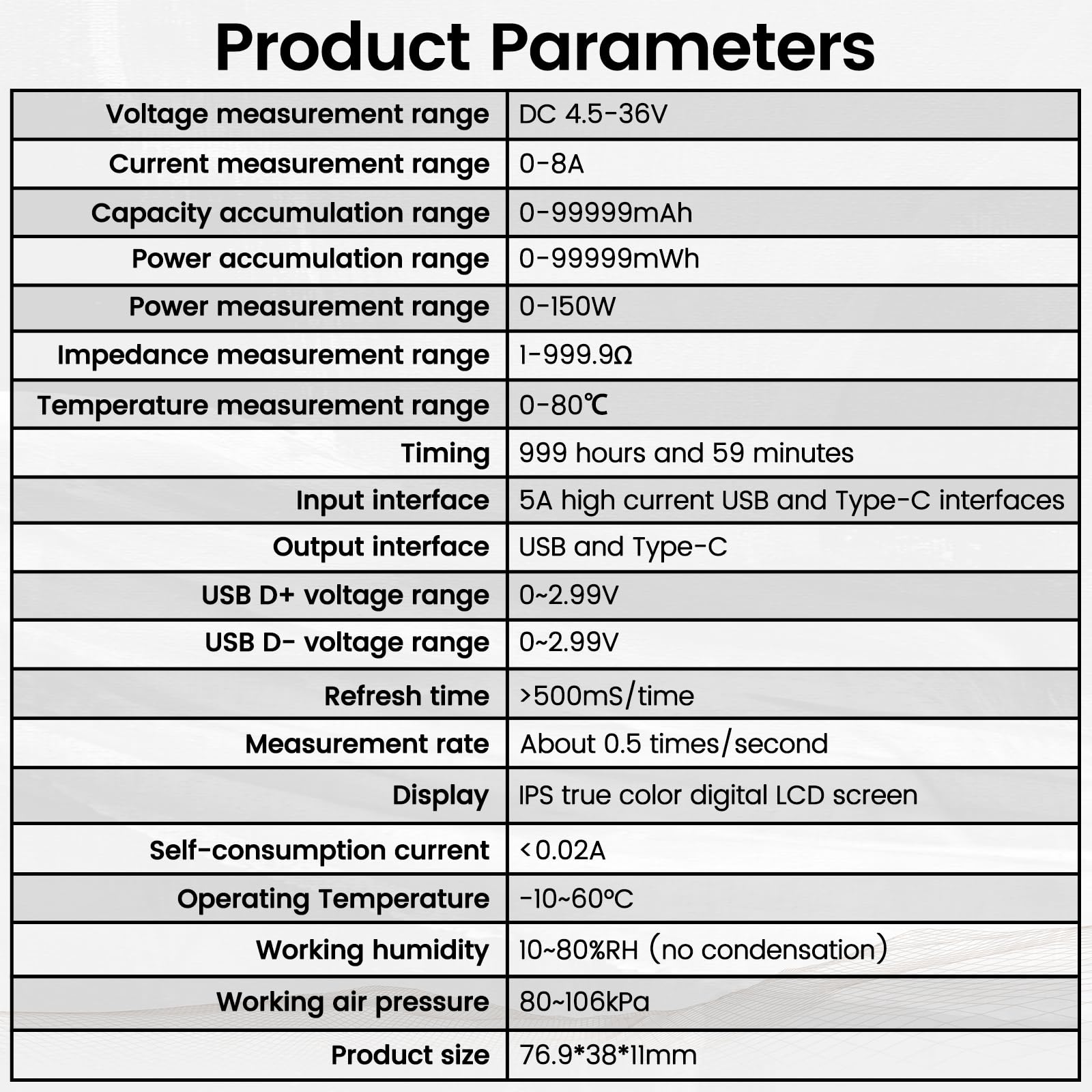
- USB and Type-C Dual Interface Multi-function Tester supports fast identification of multiple parameters such as current, voltage, power, charge, capacity, resistance, timing, number of capacity groups, Celsius, Fahrenheit and so on. One screen displays multiple parameters.
- Digital Display Voltage and Current Tester can detect the charging status of electrical appliances in real time, real-time monitoring of charging voltage and current and other multiple parameters information at a glance.
- Display On/Off Function: Switch the interface to the hibernation screen interface through the multifunctional key short press to close the display.
- Test a variety of USB and Type-C interface digital devices: Easily test a variety of chargers, data cables, rechargeable treasure, laptops, cell phones, USB and Type-C digital devices and so on.
- A variety of fast charging protocols are automatically detected, fast charging recognition detection covers almost all fast charging protocols, which can meet the needs of various types of cell phone users.
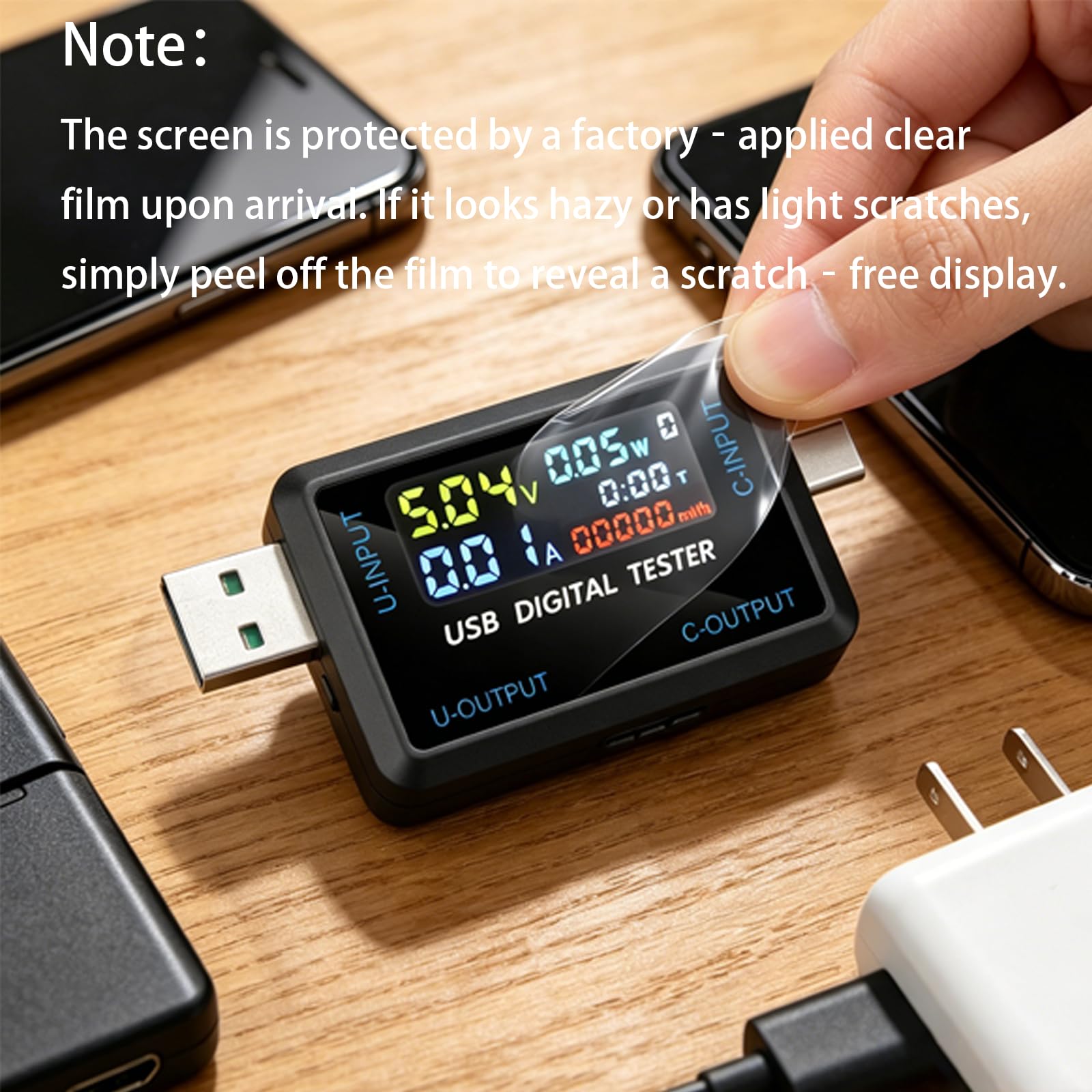
- Note:The screen is protected by a factory‐applied clear film upon arrival. If it looks hazy or has light scratches, simply peel off the film to reveal a scratch‐free display.
Tags |
Estimated shipping
Select a product to estimate shipping.Please peel off the factory protective film first. The film can appear cloudy or scratched. Once removed, the actual screen is perfect.
Your device comes with a factory‐applied screen protector. This is not a defect. For the best viewing experience, simply peel it off before using.
Multi-function button operation instructions:
Short press mode button
The longer button is the on/off button (it is near the USC output port) & The shorter button is the mode button (it is near the type-c output port)
1: Press once to switch screens
2: Press the switch button three times in succession to reset the battery (mWh) and reset the timing. Clear current group (0.00)
3: Press and hold the switch button for 2 seconds to change the accumulated data storage group number (NO.X)
My USB tester screen looks blurry or has scratches right out of the box. Is it defective?
!! Please remove the factory protective film first !! The film can appear cloudy or scratched. Once removed, you will find a crystal‐clear, scratch‐free screen. If scratches remain after peeling, find us for a replacement.
The display became very dim after a couple of months. What can I do?
This seems to be a quality issue (backlight aging). Test the unit thoroughly within the first two weeks. If it dims, contact for a return/replace.
How do I reset the capacity (mAh) and energy (mWh) for a group?
Quickly press the mode button three times (triple-click). This resets the current group’s data.
My USB‐C port doesn’t work at all, but USB‐A works. What’s wrong?
First, rule out the PD “no‐load” issue. Try different cables and devices. If it still fails, the unit is likely defective – request a replacement.
Why doesn’t the screen turn on when I plug in a Type‐C PD charger?
You must connect a phone (or PD load) to the tester’s output port. Many PD chargers won’t output voltage without a device attached.
Product details


| Main Specification | |
|---|---|
| Üretici yapımcı | IOT |
| Unit Count | 1 Count |
| Met | CE CE CE |
| Brand Brand Brand | IOT |
| Madde Sayısı | 1 1 1 |
| Bileşenleri dahil | USB and Type-C Tester |
| Güç Kaynağı | Corded Electric |
| Uyumlu cihazlar | USB and Type-C interface digital devices |
| Üst Sıcaklık Puanı | 176 °F |
| Renkli Renk | USB and Type-C |
| Style Style Style | USB&Type-C |
| Product information | |
| Alt Sıcaklık Puanı | 32 °F |
| Technical Details | |
| Ölçüm Tipi | Ammeter or Backmeter |
| Bölüm Numarası | A42_KBAI0006-008_US |
| Model Model Model Model Model Model Model Model Model Model Model Model Model Model Model Model Model Model Model Model Model Model Model Model Model Model Model Model Model Model Model Model Model Model Model Model Model Model Model Model Model Model Model Model Model Model Model Model Model Model Model Model Model Model Model Model Model Model Model Model Model Model Model Model Model Model Model Model Model Model Model Model Model Model Model Model Model Model Model Model Model Model Model Model Model Model Model Model Model Model Model Model Model Model Model Model Model Model Model Model Model Model Model Model Model Model Model Model Model Model Model Model Model Model Model Model Model Model Model Model Model Model Model Model Model Model Model Model Model Model Model Model Model Model Model Model Model Model Model Model Model Model Model Model Model Model Model Model Model Model Model Model Model Model Model Model Model Model Model Model Model Model Model Model Model Model Model Model Model Model Model Model Model Model Model Model Model Model Model Model Model Model Model Model Model Model Model Model Model Model Model Model Model Model Model Model Model Model Model Model Model Model Model Model Model Model Model Model Model Model Model Model Model Model Model Model Model Model Model Model Model Model Model Model Model Model Model Model Model Model Model Model Model Model Model Model Model Model Model Model Model Model Model Model Model Model Model Model Model Model Model Model Model Model Model Model | A42_KBAI0006-008_US |
| Maksimum İşletim Gerilimi | 36 volts |
| Style | |
| Style Name | USB&Type-C |
| Others | |
| Ürün Türü | Multi Testers |
| Asgari İşletim Stresi | 4.5 |